This post may contain affiliate links. Please see my disclosure policy for details.
Gaming bundles group together the hardware and accessories that make a smoother, more immersive play session — controllers, headsets, capture cards, and sometimes a console or PC components. They simplify buying by matching compatible products and often deliver better value than buying items separately, which is helpful for gamers building a setup on a budget or upgrading in one step.
Choosing the right bundle depends on what you play and how you play: console versus PC, single-player versus competitive multiplayer, and whether you need streaming or portability. Pay closest attention to compatibility, included warranty or support, and whether the key components (like the controller or headset) meet your comfort and performance needs, because a great bundle can save money but a mismatched one leaves you stuck with parts that don’t work well together. We tested and compared popular bundles to find the ones that balance price, performance, and longevity.
Top 3 Gaming Bundles
Contents
Best Gaming Bundles
Below is our curated list of the best gaming bundles to suit different budgets and play styles. We evaluate value, included accessories, and performance to help you find the package that delivers the most reliable gaming experience.
Orzly Hornet RX-250 Bundle

We recommend this bundle if you want a budget-friendly all-in-one kit that works across consoles and PC and gives solid value for casual and entry-level gamers.
Pros
- Great value — keyboard, mouse, headset, and pad in one affordable package
- Plug-and-play across PS5/PS4, Xbox, PC and more — setup was painless for us
- RGB lighting and comfortable headset make sessions feel more immersive
Cons
- Headset build and audio can feel cheaper than the keyboard and mouse
- Wired setup means more cable clutter on smaller desks
- Mouse can feel a bit choppy at higher sensitivity for some users
We unboxed and used the RX-250 for several gaming sessions and a few hours of productivity tests. The keyboard’s keys felt smooth and responsive for a membrane board, and the RGB options were easy to cycle through while keeping us focused on the game.
The mouse tracked well for general play, though we noticed occasional uneven cursor motion at higher DPI on one system. The included mouse pad provided a predictable glide and stayed put during fast flicks.
The headset delivered decent bass and clear chat for party play, but the fit and sound detail didn’t match the keyboard and mouse quality; one unit we tried had a finicky in-line control that took a moment to figure out. Overall, this bundle makes sense when you need a complete setup quickly without spending much.
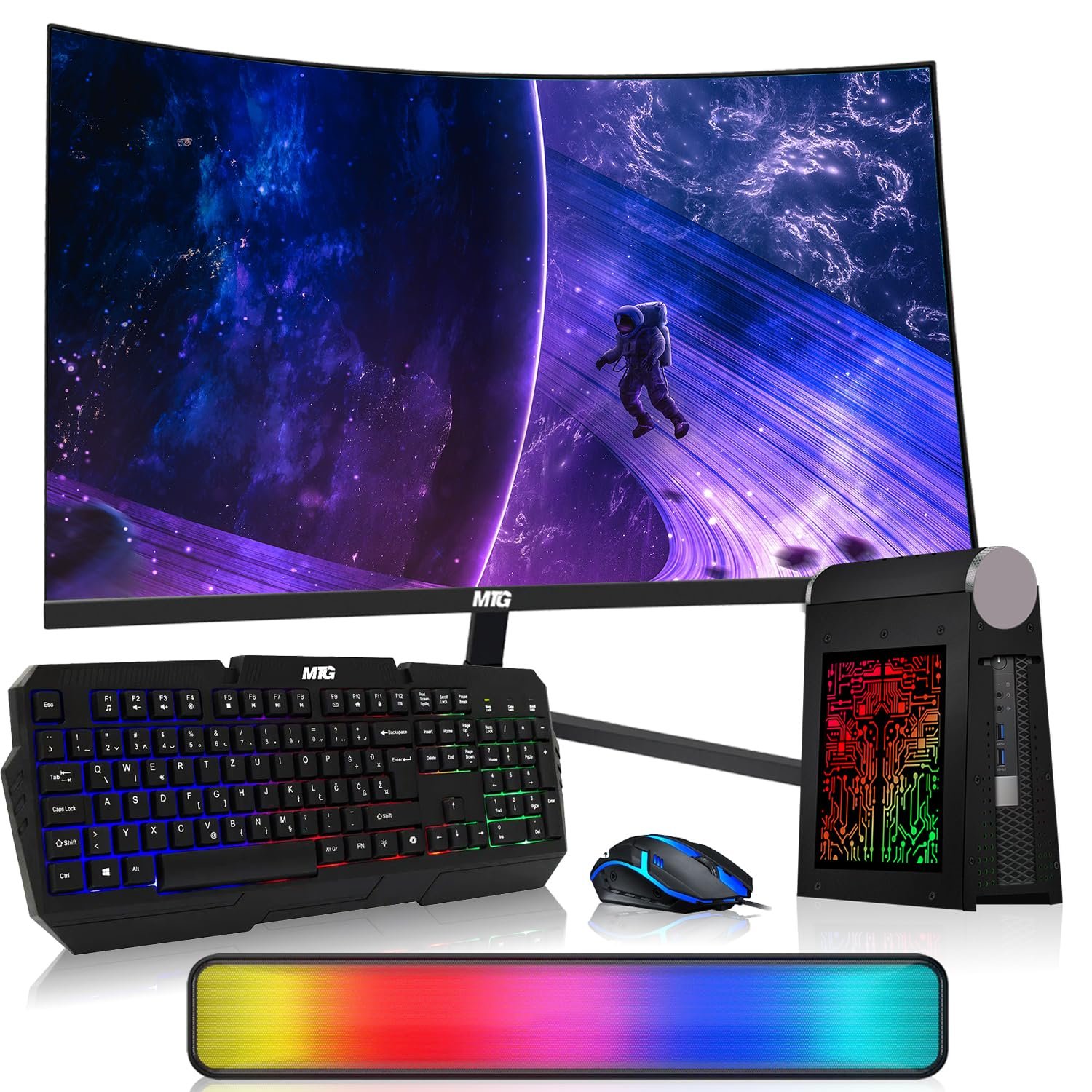
CyberCube Mini Bundle

We would recommend this bundle if you want a compact, ready-to-use mini PC setup for productivity and media with striking RGB accessories but you should temper expectations for demanding gaming.
Pros
- Compact, space-saving desktop that fit neatly on our desk.
- Attractive RGB keyboard, mouse, and soundbar that improve desk presence.
- Fast-feeling responsiveness for everyday tasks thanks to the SSD and 16GB RAM.
Cons
- Integrated graphics limit modern gaming performance.
- Renewed unit variability — setup worked smoothly for us but may require troubleshooting.
- Monitor and accessory quality feel consumer-grade rather than premium.
We unboxed and set this up in under 20 minutes; the package looks great on a small desk and boots quickly. Everyday apps, web browsing, and office work ran smoothly, and the curved 24″ monitor gave a pleasant, unobtrusive viewing field for documents and video.
The RGB keyboard and mouse add visual flair and the Copilot key felt handy when we tested quick AI prompts. Audio from the Bluetooth soundbar sounded full for movies and conference calls, though it lacked bass depth compared with dedicated speakers.
We tried a few casual games and had playable frame rates at modest settings, but integrated Intel HD graphics showed their limits on newer titles. Expect a solid, polished work-and-media machine, not a high-end gaming rig.
Periphio Castle Bundle

We recommend this bundle if you want a complete, plug-and-play 1080p gaming setup at a modest price, but expect compromises in some peripherals.
Pros
- Ready-to-play kit with monitor, keyboard, mouse, headset and speakers.
- Strong multitasking from 32GB RAM and fast 1TB NVMe SSD.
- Smooth 1080p gameplay for esports titles using the Ryzen 5 5600G Vega 7 iGPU.
Cons
- Included headset and some cables feel low quality and may need replacing.
- Integrated graphics limit high settings in demanding AAA games.
- Mixed user support and warranty experiences reported by some buyers.
We unpacked and booted this system in under 20 minutes; Windows 11 and drivers arrived preinstalled so we spent more time gaming than configuring. The machine handled Valorant and Fortnite at consistent framerates with responsive input and quick load times, which made casual competitive play enjoyable.
The RGB extras look cohesive on a desk and the keyboard and mouse feel fine for starting players, though the headset sounded tinny and showed fragile wiring during our short use. We swapped the headset for a midrange pair quickly and noticed an immediate improvement for voice chat and immersion.
Thermals stayed reasonable under load and the 650W PSU kept things stable while we multitasked between streaming, Discord, and a browser. For anyone building a first full setup without hunting parts, this bundle removes friction — but we would budget for a better headset and possibly a discrete GPU later if higher settings are a priority.
Buy the Periphio Castle Bundle if you want an out-of-the-box battlestation to start gaming right away and accept that a couple of accessories might need upgrades down the road.
BEASTCOM Q5 Pro

We recommend this rig if you want strong 1440p performance, a clean out-of-box experience, and RGB flair without breaking the bank.
Pros
- Smooth frame delivery for modern titles thanks to the RTX 5060 and Ryzen 7.
- Quiet, plug-and-play setup with Windows 11 Pro preinstalled.
- Eye-catching tempered glass and RGB fans that make the PC feel premium.
Cons
- Occasional small setup hiccups reported (loose headers or activation issues).
- WiFi 5 instead of the latest wireless standard.
- Prebuilt choices limit component-level customization for enthusiasts.
We unpacked and used the Q5 Pro for several gaming sessions and creative tasks, and the experience felt polished. Games at 1440p held steady FPS and the system stayed quiet even under load, which let us focus on play rather than fan noise.
Setting it up required almost nothing—just plug in and boot—but we did run into a loose fan header on one unit that needed a quick reseat. Support responded fast when activation or minor issues popped up, which matters if you want minimal downtime.
The case looks great on a desk; tempered glass and RGB give it presence without being gaudy. If you want the latest WiFi standard or plan frequent upgrades, consider that this prebuilt leans toward convenience over modular freedom.
Overall, the Q5 Pro feels like a balanced buy for competitive and casual players who want strong out-of-the-box performance and attractive styling without deep tinkering.
BTO RGB Gaming Bundle

We recommend this renewed BTO bundle if you want a budget-friendly, ready-to-play gaming PC with a solid SSD and enough RAM for modern multitasking.
Pros
- Good value for money with 16GB RAM and 1TB SSD included.
- Smooth 1080p play for many esports and older AAA titles thanks to the GTX 1050 Ti.
- Complete bundle — monitor, keyboard, mouse, speakers and Wi‑Fi adapter arrive together.
Cons
- Sixth‑gen i5 is dated and limits future-proofing.
- GPU struggles at high settings in newer AAA games.
- Renewed condition can mean missing parts or variable packaging.
We fired this unit up immediately and appreciated how fast Windows and games loaded from the SSD. The 24‑inch IPS monitor produced clear colors and the RGB peripherals made setup feel complete without hunting for extras.
In gameplay, frame rates stayed solid in Fortnite and CS at 1080p medium settings, but we had to dial back settings in more demanding modern titles. Multitasking felt snappy with 16GB RAM, so streaming or browsing while gaming worked fine for lighter workloads.
Physical condition varied between units; our sample arrived with clean cosmetics, but one customer report mentioned missing parts, so inspect the box and test ports on arrival. Overall, this bundle suits buyers who want a turnkey, budget gaming station now rather than a long‑term upgrade path.
Buying Guide
We prioritize value and compatibility when selecting a gaming bundle. Start by listing what you need: console or PC components, controllers, headsets, and important accessories.
We check compatibility first. Ensure hardware fits your system, and confirm power, ports, and size requirements.
We evaluate performance metrics next. Look at frame rates, input lag, and latency for peripherals. Those figures tell us how well components will work under real play.
We consider content and software included. Games, subscriptions, and downloadable content affect long-term value. Verify activation requirements and regional restrictions.
We compare trade-offs between price and quality. A lower price can mean fewer features or shorter warranty coverage. Balance immediate savings against expected lifespan and repairability.
We inspect build quality and ergonomics. For controllers and headsets, comfort and button layout matter for long sessions. Materials and cable design affect durability.
We check warranty, return policy, and support. Fast, clear support reduces risk if something fails. Prefer bundles with straightforward return windows and replacement terms.
We rank features with a simple checklist:
| Feature | Why it matters |
|---|---|
| Compatibility | Prevents hardware conflicts |
| Performance metrics | Indicates real-world playability |
| Included software | Adds value or restrictions |
| Ergonomics | Affects comfort and control |
| Durability | Lowers long-term cost |
| Warranty & support | Reduces replacement risk |
We recommend testing in-store when possible and reading multiple user reviews. That helps us confirm real-world reliability and comfort before buying.