

This post may contain affiliate links. Please see my disclosure policy for details.
My Battle-Tested Guide to Office Desk Organization (That Actually Works)
Contents
- My Battle-Tested Guide to Office Desk Organization (That Actually Works)
- Why Your Messy Desk Is Sabotaging Your Success
- The Zone System That Changed Everything for Me
- The Clear Space Rule That Saved My Sanity
- Storage Solutions I Actually Use (Not Just Pinterest Dreams)
- My Filing System (Physical and Digital)
- Labels Are Your Friend (Even If They Feel Excessive)
Office desk organization transformed my chaotic workspace into a productivity powerhouse, and I’m here to show you exactly how I did it without spending a fortune or turning my desk into some sterile, lifeless zone.
Look, I get it.
Your desk probably looks like a paper explosion happened while you weren’t looking, right? Sticky notes breeding like rabbits, pens scattered everywhere, and that one important document you swear you just had five minutes ago? Vanished into the abyss.
I’ve been there, drowning in my own mess, convinced I’d never find anything again.
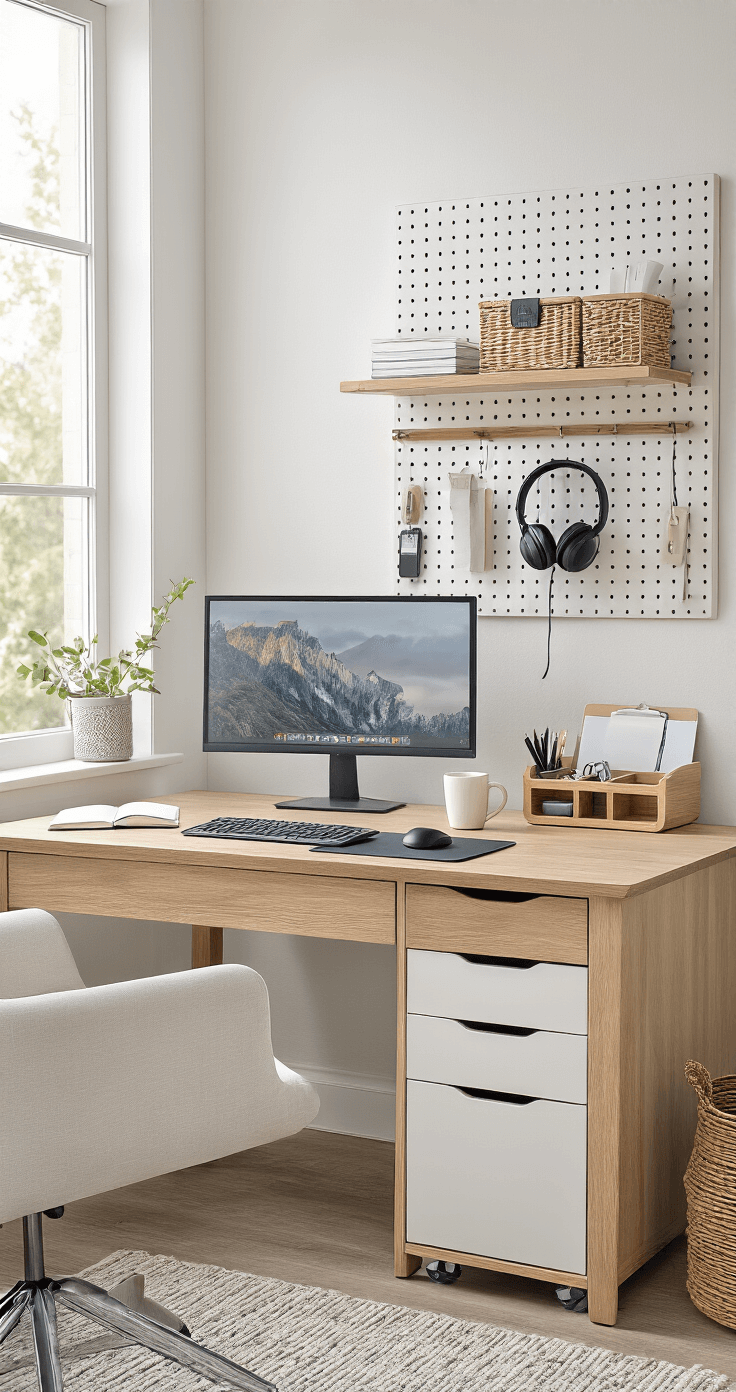
Why Your Messy Desk Is Sabotaging Your Success
Here’s the brutal truth I learned the hard way: a cluttered desk isn’t just ugly—it’s stealing your time and sanity.
Every minute you spend hunting for that stupid stapler or those headphones you know are “somewhere around here” is a minute you’re not actually working.
The mental load is even worse.
When I used to sit down at my disaster zone of a desk, my brain would immediately start screaming at me about all the undone tasks staring me in the face. Before I could even start my actual work, I was already exhausted.
That changes today.
The Zone System That Changed Everything for Me
Creating dedicated zones on your desk is like giving everything its own parking spot—no more wandering around looking for a place to land.
Here’s how I carved up my desk real estate:
Computer Zone (Left Side)
- Monitor, keyboard, and mouse
- Nothing else invades this space
- My ergonomic mouse pad stays put
Active Work Zone (Center)
- Always kept completely clear
- This is sacred space for writing, sketching, or spreading out documents
- Big enough for a notebook and my coffee mug
Reference Zone (Right Side)
- Current project folders
- My desk organizer caddy with pens and daily tools
- Phone charging station
Supply Storage (Drawers)
- Backup supplies stay hidden
- Sorted with drawer dividers so I can actually find stuff
This system works because your brain doesn’t have to make decisions about where things go. Everything has one home, period.

The Clear Space Rule That Saved My Sanity
I made myself a non-negotiable rule: at least 18 inches of my desk must stay completely empty at all times.
Sounds simple, doesn’t it?
It’s shockingly hard to maintain when you’re in the middle of work chaos. But this clear space became my thinking zone, my breathing room when projects got intense.
When I finish a task, everything goes back to its zone. The center stays clear. No exceptions.
Some days I mess up. Papers start creeping in, my water bottle takes up residence, random cables appear out of nowhere. But every evening, I do a two-minute reset. Clear the center. Tomorrow-me always thanks today-me for this.
Storage Solutions I Actually Use (Not Just Pinterest Dreams)
Most organization advice shows you these gorgeous minimalist desks that look like nobody actually works there. That’s not real life.
Here’s what genuinely works when you’ve got actual work to do:
Vertical Storage (My Secret Weapon)
I installed a pegboard above my desk and it absolutely changed the game.
Get stuff OFF your desk and onto your walls:
- Frequently used documents go on clipboards hung on hooks
- Small supplies in hanging baskets
- Visual project planning with cards and clips
- Headphones when I’m not using them
The beauty of vertical storage is it keeps things visible without eating your workspace. Out of the way, but not out of mind.
The Under-Desk Frontier
For years, I ignored the massive amount of space under my desk like an idiot.
Then I got smart:
- Rolling file cart that slides under when not in use
- Cable management box to wrangle that wire nightmare
- Rarely-used supplies in labeled bins pushed to the back
- Extra monitor stand storage compartment
Suddenly I had probably 50% more usable storage without buying a bigger desk.
Desktop Real Estate
Only things I use multiple times daily get to live on my actual desk surface:
- One small organizer for pens, scissors, and tape
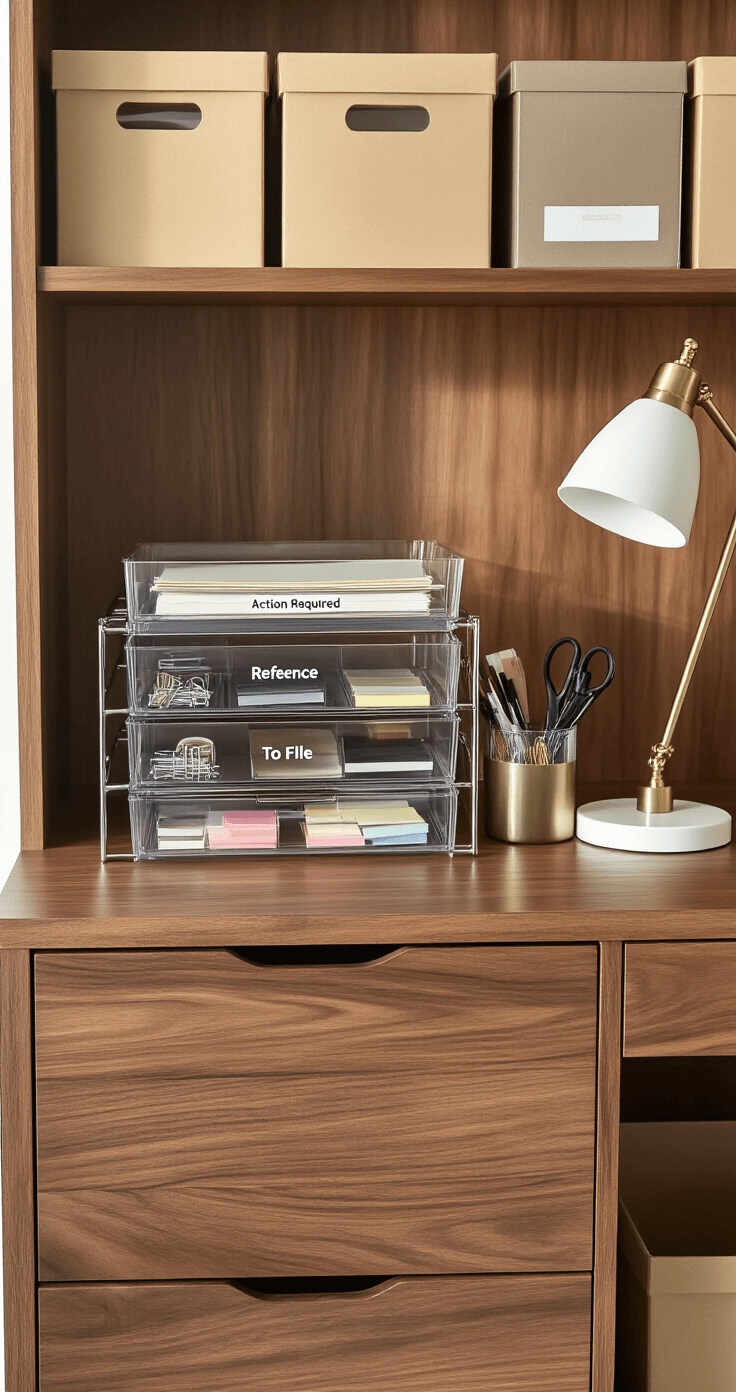
- Letter tray for active projects (two levels max)
- Single small plant because I’m not a monster
Everything else? Banished to drawers or wall storage.
My Filing System (Physical and Digital)
I used to think filing systems were for uptight corporate types. Then I spent an hour looking for one contract and decided maybe those uptight people were onto something.
Physical Filing
I keep three categories on my desk:
- Action Required – Stuff I need to deal with this week
- Reference – Things I might need to check
- To File – Papers heading to long-term storage
Once a week (Friday afternoon works for me), I process the “To File” tray into my filing cabinet. Anything older than what I legally need to keep? Shredded.
Digital Organization
Same principle applies to my computer:
- Desktop stays nearly empty (current projects only)
- Main folders by category, subfolders by project
- Consistent naming convention so search actually works
- Weekly digital cleanup, just like physical
Sounds boring? Maybe. But boring systems are the ones you’ll actually maintain.
Labels Are Your Friend (Even If They Feel Excessive)
I resisted labeling everything for way too long because it felt obsessive.
Know what’s actually obsessive? Opening six different storage boxes to find printer paper.
Now I label everything:
- Storage boxes with contents and date
- Drawer dividers with category
- File folders with clear names
- Cable labels so I